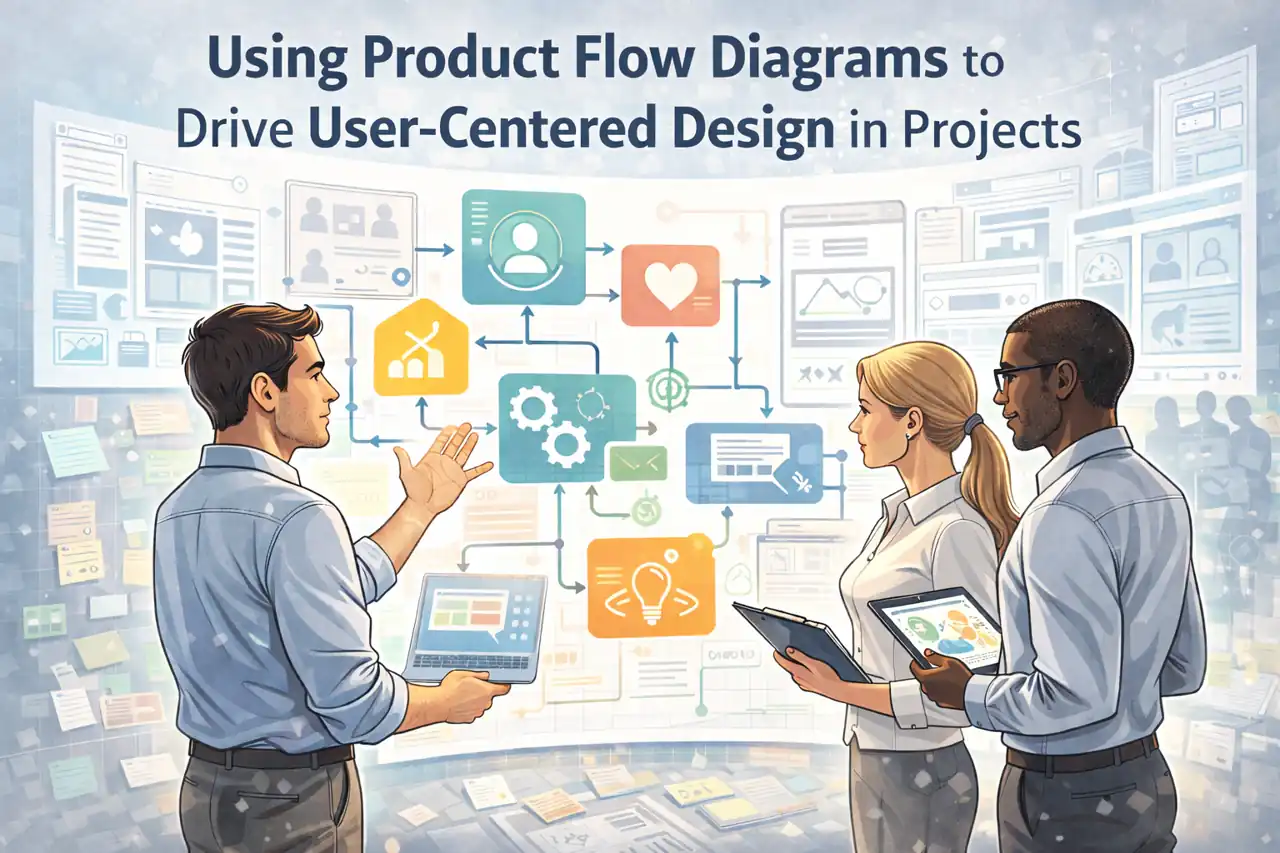
Introduction to Product Flow Diagrams
Particularly within user-centered design, product flow diagrams serve as a crucial tool for visualizing the journey of a product from conception to delivery. These diagrams not only enhance communication among team members but also ensure that the design process remains aligned with user needs and expectations.
Definition of Product Flow Diagrams
Product flow diagrams are visual representations that outline the sequence of steps involved in the development and delivery of a product. They illustrate how various components of a project interact and flow together, providing a clear roadmap for stakeholders. By mapping out the entire process, these diagrams help teams understand the relationships between different tasks, resources, and timelines, ultimately leading to more efficient project execution.
Importance of Visual Representation in Project Management
Visual tools like product flow diagrams are essential in project management for several reasons:
- Clarity and Communication: They simplify complex processes, making it easier for team members and stakeholders to grasp the overall workflow. This clarity fosters better communication and collaboration among diverse teams, including UX designers, developers, and project managers.
- Identifying Bottlenecks: By visualizing the flow of tasks and resources, teams can quickly identify potential bottlenecks or inefficiencies in the process. This proactive approach allows for timely adjustments, ensuring that projects stay on track.
- Enhanced Decision-Making: With a clear visual representation of the product flow, project managers can make informed decisions regarding resource allocation, timelines, and design iterations, ultimately leading to a more successful project outcome.
Role in User-Centered Design
In user-centered design, product flow diagrams play a pivotal role in ensuring that the end product aligns with user needs and expectations. Here’s how they contribute to the design process:
- User Journey Mapping: These diagrams can be used to map out the user journey, highlighting key interactions and touchpoints. This helps designers understand how users will engage with the product, allowing for more targeted design decisions.
- Iterative Design Process: Product flow diagrams support an iterative design approach by providing a framework for testing and refining ideas. As user feedback is gathered, teams can easily adjust the flow to incorporate new insights, ensuring that the final product is both functional and user-friendly.
- Stakeholder Alignment: By involving stakeholders in the creation and review of product flow diagrams, teams can ensure that everyone is on the same page regarding user needs and project goals. This alignment is crucial for maintaining focus on the user experience throughout the design process.
Product flow diagrams are an invaluable asset in project management, particularly for UX designers and project managers. They not only facilitate clear communication and efficient workflows but also ensure that user-centered design principles are at the forefront of the development process. By leveraging these diagrams, teams can create products that truly resonate with users, leading to enhanced satisfaction and success.
The Role of User-Centered Design in Project Management
User-centered design (UCD) is a fundamental approach in project management that prioritizes the needs, preferences, and limitations of end-users throughout the design and development process. By focusing on the user experience, project teams can create products that are not only functional but also enjoyable and intuitive to use. Here’s a closer look at the definition, key principles, and benefits of integrating user-centered design into project management workflows.
Definition of User-Centered Design
User-centered design is a design philosophy and process that places the user at the forefront of product development. It involves understanding the users’ needs, behaviors, and contexts to create solutions that enhance their experience. UCD is iterative, meaning that it involves continuous feedback and refinement based on user interactions and insights. This approach ensures that the final product aligns closely with user expectations and requirements.
Key Principles of User-Centered Design
- Empathy: At the heart of UCD is empathy, which involves understanding users’ feelings, thoughts, and experiences. This principle encourages designers and project managers to engage with users through interviews, surveys, and observations to gather insights that inform design decisions.
- Usability: Usability focuses on creating products that are easy to use and navigate. This principle emphasizes the importance of intuitive interfaces, clear instructions, and accessible features that cater to a diverse user base. Usability testing is a critical component of UCD, allowing teams to identify and address potential issues before launch.
- Iterative Design: UCD is inherently iterative, involving cycles of prototyping, testing, and refining. This process allows teams to gather user feedback at various stages, ensuring that the product evolves based on real user experiences rather than assumptions.
- Involvement of Users: Engaging users throughout the design process is crucial. This can include co-design sessions, usability testing, and feedback loops that allow users to contribute their insights and preferences, leading to a more tailored product.
Benefits of Integrating User-Centered Design into Project Management Workflows
- Enhanced User Satisfaction: By prioritizing user needs, projects are more likely to result in products that resonate with users, leading to higher satisfaction and loyalty. When users feel that their needs are understood and met, they are more likely to embrace the product.
- Reduced Development Costs: Investing in UCD can lead to significant cost savings in the long run. By identifying usability issues early in the design process, teams can avoid costly revisions and rework that often arise from user dissatisfaction post-launch.
- Improved Collaboration: UCD fosters collaboration among project stakeholders, including designers, developers, and users. This collaborative environment encourages diverse perspectives and ideas, leading to more innovative solutions.
- Increased Market Success: Products designed with a user-centered approach are more likely to succeed in the market. By aligning the product with user expectations, teams can enhance adoption rates and reduce the risk of product failure.
Integrating user-centered design principles into project management not only enhances the user experience but also contributes to the overall success of projects. By focusing on empathy, usability, and iterative design, project managers and UX designers can create products that truly meet the needs of their users, driving both satisfaction and business success.
How Product Flow Diagrams Enhance User Experience
Project management and user experience (UX) design, product flow diagrams serve as a vital tool that bridges the gap between conceptualization and execution. By visually representing the flow of a product from inception to delivery, these diagrams not only clarify processes but also enhance the overall user experience. Here’s how product flow diagrams contribute to a more user-centered design approach:
Mapping Out User Journeys
- Visual Representation of User Interactions: Product flow diagrams allow UX designers and project managers to map out user journeys in a clear and structured manner. By illustrating each step a user takes when interacting with a product, these diagrams help teams understand the context of user actions and decisions. This visual mapping is crucial for identifying critical touchpoints where users engage with the product, ensuring that their needs are prioritized throughout the design process.
- Scenario Planning: By detailing various user scenarios, product flow diagrams enable teams to anticipate how different users might navigate through a product. This foresight allows designers to create more intuitive interfaces that cater to diverse user behaviors and preferences, ultimately leading to a more satisfying user experience.
Identifying User Pain Points and Opportunities for Improvement
- Highlighting Friction Points: One of the primary benefits of using product flow diagrams is their ability to pinpoint user pain points within the product journey. By analyzing the flow, teams can identify areas where users may encounter difficulties or frustrations. This insight is invaluable for making informed design decisions that enhance usability and satisfaction.
- Opportunity for Iteration: Product flow diagrams not only reveal existing issues but also highlight opportunities for improvement. By visualizing the entire product flow, teams can brainstorm and implement design changes that streamline processes, reduce user effort, and enhance overall engagement. This iterative approach fosters a culture of continuous improvement, which is essential in user-centered design.
Facilitating Communication Among Project Stakeholders
- Common Language for Collaboration: Product flow diagrams serve as a universal language that facilitates communication among diverse project stakeholders, including UX designers, project managers, developers, and clients. By providing a visual reference, these diagrams help ensure that everyone involved has a shared understanding of the product flow and user experience goals.
- Alignment on Objectives: Effective communication is critical in project management, and product flow diagrams help align stakeholders on project objectives. By discussing the user journey and pain points illustrated in the diagram, teams can collaboratively prioritize features and enhancements that will have the most significant impact on user experience.
Product flow diagrams are an essential tool in the arsenal of UX designers and project managers. By mapping out user journeys, identifying pain points, and facilitating stakeholder communication, these diagrams not only enhance the design process but also drive a more user-centered approach to product development. Embracing this visual methodology can lead to more effective designs that resonate with users and meet their needs more effectively.
Creating Effective Product Flow Diagrams
Product flow diagrams are essential tools in project management, particularly for UX designers and project managers aiming to enhance user-centered design. These diagrams visually represent the flow of a product from conception to delivery, ensuring that user needs are prioritized throughout the design process. Here’s a practical guide on how to create effective product flow diagrams that align with user-centered design goals.
Step-by-Step Process for Creating a Product Flow Diagram
- Define the Purpose and Scope:
- Start by clarifying the objectives of the product flow diagram. Determine what aspects of the user experience you want to focus on, such as user interactions, product features, or overall workflow.
- Identify Key Components:
- List the main elements that will be included in the diagram. This may include user personas, tasks, touchpoints, and decision points. Understanding these components will help in structuring the flow effectively.
- Map Out User Journeys:
- Create user journey maps that outline the steps users take when interacting with the product. This will provide a foundation for your product flow diagram, ensuring that it reflects real user experiences.
- Draft the Diagram:
- Begin sketching the flow diagram using simple shapes to represent different components (e.g., rectangles for processes, diamonds for decisions). Use arrows to indicate the flow of actions and decisions.
- Iterate and Refine:
- Review the initial draft with stakeholders, including UX designers and project managers. Gather feedback and make necessary adjustments to improve clarity and accuracy.
- Finalize the Diagram:
- Once the diagram has been refined, create a polished version using diagramming software. Ensure that it is visually appealing and easy to understand.
Tools and Software Options for Diagram Creation
Several tools can facilitate the creation of product flow diagrams, each offering unique features:
- Lucidchart: A web-based diagramming tool that allows for easy collaboration and offers a variety of templates for product flow diagrams.
- Microsoft Visio: A powerful diagramming application that provides extensive features for creating detailed flow diagrams, suitable for complex projects.
- Miro: An online collaborative whiteboard platform that enables teams to brainstorm and create flow diagrams in real-time.
- Draw.io: A free, open-source diagramming tool that integrates with various platforms, making it accessible for teams on a budget.
Best Practices for Maintaining Clarity and Focus on User Experience
To ensure that your product flow diagrams effectively support user-centered design, consider the following best practices:
- Keep It Simple: Avoid cluttering the diagram with excessive details. Focus on the most critical elements that impact user experience.
- Use Consistent Symbols: Establish a standard set of symbols and colors to represent different components. This consistency helps users quickly understand the diagram.
- Incorporate User Feedback: Regularly seek input from users and stakeholders during the diagram creation process. Their insights can help identify gaps and improve the overall design.
- Highlight User Touchpoints: Clearly mark points in the flow where users interact with the product. This emphasis helps in identifying areas for improvement in the user experience.
- Review and Update Regularly: As projects evolve, so should the product flow diagrams. Regularly review and update them to reflect changes in user needs or project scope.
By following these guidelines, UX designers and project managers can create effective product flow diagrams that not only enhance clarity but also drive user-centered design in their projects. These diagrams serve as a vital communication tool, ensuring that all team members are aligned with the user experience goals throughout the project lifecycle.
Integrating Product Flow Diagrams into Project Workflows
Particularly within user-centered design, product flow diagrams serve as a vital tool for enhancing collaboration and ensuring that user experience (UX) remains at the forefront of project development. This section explores how to effectively integrate product flow diagrams into existing project workflows, focusing on strategies for collaboration, their application in agile methodologies, and the balance between flexibility and structure.
Strategies for Collaboration Between UX Designers and Project Managers
- Establish Clear Communication Channels:
- Regular meetings and updates between UX designers and project managers can foster a shared understanding of project goals and user needs. Utilizing product flow diagrams during these discussions can help visualize the user journey and clarify roles and responsibilities.
- Incorporate Feedback Loops:
- Implementing iterative feedback loops allows both UX designers and project managers to refine product flow diagrams based on user testing and stakeholder input. This collaborative approach ensures that the diagrams evolve alongside the project, reflecting real user experiences and insights.
- Utilize Collaborative Tools:
- Leveraging digital tools that support real-time collaboration can enhance the integration of product flow diagrams. Platforms like Miro or Lucidchart enable teams to co-create and modify diagrams, making it easier to align on design decisions and project milestones.
Using Product Flow Diagrams in Agile Methodologies
- Visualizing User Stories:
- In agile environments, product flow diagrams can be used to map out user stories and their corresponding workflows. This visualization helps teams understand how features will be used in practice, ensuring that development aligns with user needs.
- Sprint Planning and Review:
- During sprint planning, product flow diagrams can guide discussions on which features to prioritize based on user impact. After each sprint, reviewing the diagrams can help teams assess whether the implemented features meet user expectations and identify areas for improvement.
- Facilitating Cross-Functional Collaboration:
- Agile methodologies thrive on cross-functional teams. Product flow diagrams can serve as a common reference point, bridging the gap between UX design, development, and project management, thus enhancing overall team cohesion and project outcomes.
Balancing Flexibility and Structure in Project Workflows
- Adapting Diagrams to Project Needs:
- While product flow diagrams provide a structured approach to visualizing processes, they should remain flexible enough to adapt to changing project requirements. Teams should feel empowered to modify diagrams as new insights emerge or as user feedback is incorporated.
- Defining Clear Milestones:
- Integrating product flow diagrams into project workflows can help define clear milestones and deliverables. This structure provides a roadmap for the project while allowing teams the flexibility to pivot as necessary based on user feedback and project dynamics.
- Encouraging a Culture of Experimentation:
- By promoting a culture that values experimentation and learning, teams can use product flow diagrams not just as static documents but as living tools that evolve with the project. This approach encourages innovation and responsiveness to user needs, ultimately leading to a more user-centered design process.
Integrating product flow diagrams into project workflows is essential for fostering collaboration between UX designers and project managers, particularly in agile environments. By leveraging these diagrams effectively, teams can maintain a balance between structure and flexibility, ensuring that user experience remains a central focus throughout the project lifecycle.
Common Challenges and Solutions
Product flow diagrams are essential tools in project management, particularly for UX designers and project managers aiming to enhance user-centered design. However, their effectiveness can be hindered by several common challenges. Below, we explore these pitfalls and provide actionable solutions to ensure that product flow diagrams serve their intended purpose effectively.
Identifying Common Pitfalls
- Oversimplification:
- One of the most frequent issues with product flow diagrams is oversimplification. While clarity is crucial, reducing complex processes to overly simplistic diagrams can lead to misunderstandings about user interactions and product functionality. This can result in a lack of depth in the design process, ultimately affecting user experience.
- Lack of Stakeholder Involvement:
- Another challenge is the insufficient involvement of key stakeholders during the creation of product flow diagrams. When stakeholders, including users, developers, and business analysts, are not engaged, the diagrams may not accurately reflect user needs or business goals. This disconnect can lead to misaligned expectations and project outcomes.
- Static Nature of Diagrams:
- Product flow diagrams are often treated as static documents rather than dynamic tools. This can hinder the iterative design process, where continuous feedback and adjustments are necessary to refine the user experience. A static approach may result in outdated diagrams that do not represent the current state of the project.
Strategies for Overcoming These Challenges
- Encourage Detailed Representation:
- To combat oversimplification, it is essential to encourage a detailed representation of processes in product flow diagrams. This can be achieved by incorporating various user scenarios and edge cases, ensuring that the diagram captures the full complexity of user interactions. Utilizing tools that allow for layered diagrams can help maintain clarity while providing depth.
- Foster Collaborative Workshops:
- To address the lack of stakeholder involvement, project managers should organize collaborative workshops that include all relevant parties. These workshops can facilitate discussions around user needs, expectations, and feedback, ensuring that the product flow diagrams are comprehensive and aligned with stakeholder insights. Engaging stakeholders early and often can lead to more accurate and effective diagrams.
- Adopt an Iterative Approach:
- Emphasizing the importance of iterative processes is crucial for refining product flow diagrams. By treating these diagrams as living documents, teams can regularly update them based on user feedback and project developments. Implementing regular review sessions can help identify areas for improvement and ensure that the diagrams evolve alongside the project.
By recognizing and addressing these common challenges, UX designers and project managers can leverage product flow diagrams more effectively in their projects. Through detailed representation, stakeholder collaboration, and an iterative approach, teams can create diagrams that not only enhance user-centered design but also drive successful project outcomes. Embracing these strategies will ultimately lead to a more refined user experience and a more efficient design process.
Conclusion: The Future of Product Flow Diagrams in User-Centered Design
Particularly within user-centered design, product flow diagrams (PFDs) have emerged as invaluable tools that bridge the gap between user experience (UX) and project execution. As we look to the future, it is essential to recap the significance of user-centered design and explore the evolving role of product flow diagrams in enhancing this approach.
Recap of the Importance of User-Centered Design
User-centered design is pivotal in creating products that resonate with users’ needs and preferences. By prioritizing the user experience throughout the design process, teams can ensure that the final product is not only functional but also intuitive and engaging. This approach fosters greater user satisfaction, loyalty, and ultimately, the success of the product in the market. PFDs play a crucial role in this process by visually mapping out the user journey, identifying pain points, and highlighting opportunities for improvement. They serve as a common language for UX designers and project managers, facilitating collaboration and ensuring that user needs remain at the forefront of project development.
Future Trends in Product Flow Diagrams and UX Design
As technology and design methodologies continue to evolve, so too will the application of product flow diagrams in UX design. Some anticipated trends include:
- Integration with Agile Methodologies: As agile project management becomes more prevalent, PFDs will likely be adapted to fit iterative design processes, allowing for continuous feedback and refinement based on user input.
- Enhanced Visualization Tools: The rise of advanced visualization software will enable more dynamic and interactive product flow diagrams, making it easier for teams to simulate user interactions and visualize complex workflows.
- Data-Driven Insights: With the increasing availability of user data, PFDs will incorporate analytics to inform design decisions, allowing teams to create more personalized and effective user experiences.
- Collaboration Across Disciplines: The future will see greater collaboration between UX designers, project managers, and other stakeholders, with PFDs serving as a central tool for aligning goals and expectations across diverse teams.
The future of product flow diagrams in user-centered design is bright. By leveraging these diagrams effectively, project teams can not only improve their design processes but also drive innovation and user satisfaction in their projects. Embrace the power of product flow diagrams and position your projects for success in an increasingly user-focused landscape.
Find out more about Shaun Stoltz https://www.shaunstoltz.com/about/.
This post was written by an AI and reviewed/edited by a human.