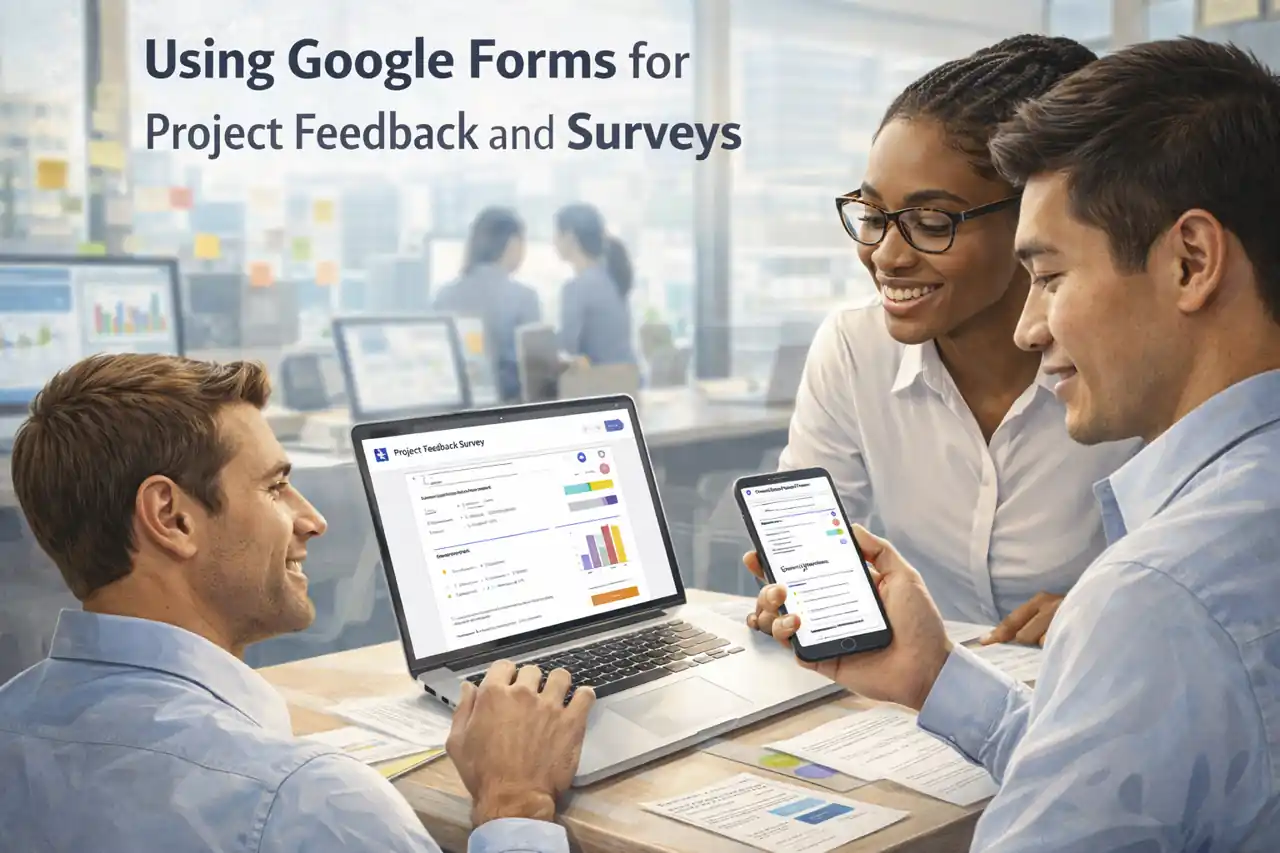
Introduction to Google Forms
Effective communication and feedback are crucial for the success and continuous improvement of any project. One of the most efficient tools available for gathering insights from stakeholders is Google Forms. This versatile platform allows project managers to create customized surveys and feedback forms that can be easily distributed to team members, clients, and other stakeholders.
Overview of Google Forms as a Tool for Collecting Data
Google Forms is a free, web-based application that enables users to design surveys and questionnaires with a variety of question types, including multiple choice, short answer, and linear scale. The intuitive interface allows project managers to:
- Create Customizable Forms: Tailor questions to fit the specific needs of the project, ensuring that the feedback collected is relevant and actionable.
- Distribute Easily: Share forms via email, social media, or direct links, making it simple for stakeholders to provide their input.
- Analyze Responses: Automatically collect and organize responses in Google Sheets, facilitating easy analysis and reporting.
Importance of Gathering Project Feedback for Continuous Improvement
Collecting feedback through Google Forms is essential for several reasons:
- Identifying Areas for Improvement: Stakeholder feedback can highlight strengths and weaknesses in project execution, allowing managers to make informed adjustments.
- Enhancing Stakeholder Engagement: Involving stakeholders in the feedback process fosters a sense of ownership and collaboration, which can lead to increased satisfaction and support for the project.
- Driving Data-Driven Decisions: By analyzing the data collected, project managers can make strategic decisions that enhance project outcomes and align with stakeholder expectations.
Target Audience: Project Managers and Stakeholders
The primary audience for utilizing Google Forms in project management includes project managers who are responsible for overseeing project execution and ensuring stakeholder satisfaction. Additionally, stakeholders—such as team members, clients, and partners—play a vital role in providing feedback that can shape the direction of the project. By leveraging Google Forms, project managers can effectively gather insights that contribute to the overall success and improvement of their projects.
Google Forms serves as a powerful tool for project managers seeking to enhance their projects through valuable stakeholder feedback. By understanding its capabilities and the importance of continuous improvement, project managers can utilize this tool to foster collaboration and drive project success.
Why Use Google Forms for Project Feedback
Gathering feedback is crucial for continuous improvement and stakeholder satisfaction. Google Forms offers a powerful, user-friendly solution for project managers looking to collect insights efficiently. Here are some compelling reasons to consider using Google Forms for project feedback and surveys:
- Cost-Effectiveness and Ease of Use: Google Forms is a free tool that requires no additional software purchases, making it an economical choice for project managers. Its intuitive interface allows users to create surveys quickly without needing extensive technical skills. This accessibility ensures that project teams can focus on gathering feedback rather than navigating complex software.
- Real-Time Data Collection and Analysis: One of the standout features of Google Forms is its ability to collect data in real-time. As responses come in, project managers can view and analyze the data instantly, allowing for timely adjustments to project strategies. This immediacy helps in identifying trends and issues early, facilitating proactive decision-making.
- Customization Options for Tailored Surveys: Google Forms provides a variety of customization options, enabling project managers to design surveys that meet their specific needs. Users can choose from different question types, including multiple-choice, short answer, and linear scale, to gather the most relevant information. Additionally, the ability to add images and videos can enhance engagement and clarity, making it easier for stakeholders to provide meaningful feedback.
- Integration with Other Google Workspace Tools: Google Forms seamlessly integrates with other Google Workspace applications, such as Google Sheets and Google Drive. This integration allows project managers to automatically populate spreadsheets with survey responses, simplifying data analysis and reporting. Furthermore, the ability to share forms via email or links enhances collaboration and ensures that feedback is easily accessible from various stakeholders.
By leveraging Google Forms for project feedback, project managers can streamline the feedback process, enhance stakeholder engagement, and ultimately drive project success. The combination of cost-effectiveness, real-time data capabilities, customization, and integration with existing tools makes Google Forms an invaluable resource in the project management toolkit.
Setting Up Your Google Form
Gathering feedback is crucial for the continuous improvement of any project. Google Forms is a powerful tool that allows project managers to collect insights from stakeholders efficiently. Here’s a step-by-step guide to help you set up your Google Form for project feedback.
Step-by-Step Instructions on Accessing and Creating a Google Form
- Access Google Forms:
- Go to Google Forms or access it through your Google Drive by clicking on the “New” button, selecting “More,” and then choosing “Google Forms.”
- Create a New Form:
- Once in Google Forms, click on the “Blank” option to start a new form. You can also choose from a template if you find one that suits your needs.
- Title Your Form:
- Give your form a clear and descriptive title that reflects the purpose of the feedback you are seeking. For example, “Project Feedback Survey” can be a straightforward title.
- Add a Description:
- Include a brief description of the form’s purpose. This helps respondents understand what kind of feedback you are looking for and why it is important.
Choosing the Right Question Types
Selecting the appropriate question types is essential for gathering meaningful feedback. Here are some common options:
- Multiple Choice: Ideal for questions where you want respondents to select one option from a list. This is useful for questions like “What aspect of the project did you find most beneficial?”
- Checkboxes: Use this when you want respondents to select multiple options. For example, “Which features did you find useful?” allows for a more comprehensive understanding of stakeholder preferences.
- Open-Ended Questions: These allow respondents to provide detailed feedback in their own words. For instance, “What improvements would you suggest for future projects?” can yield valuable insights.
- Linear Scale: This is useful for rating questions, such as “On a scale of 1 to 5, how satisfied are you with the project outcome?” It provides quantifiable data that can be easily analyzed.
Tips for Designing an Engaging and User-Friendly Form
- Keep It Short and Focused: Limit the number of questions to avoid overwhelming respondents. Aim for a form that can be completed in 5-10 minutes.
- Use Clear and Concise Language: Ensure that your questions are straightforward and easy to understand. Avoid jargon that might confuse respondents.
- Incorporate Visuals: If applicable, add images or videos to make the form more engaging. This can be particularly useful for showcasing project elements that you want feedback on.
- Test Your Form: Before sending it out, test the form yourself or with a colleague to ensure that all questions are clear and that the form functions correctly.
- Provide an Incentive: Consider offering a small incentive for completing the survey, such as a chance to win a gift card. This can increase response rates.
By following these steps and tips, project managers can effectively utilize Google Forms to gather valuable feedback from stakeholders, leading to improved project outcomes and stakeholder satisfaction.
Crafting Effective Survey Questions
When utilizing Google Forms for gathering project feedback and surveys, the quality of your questions plays a crucial role in the insights you receive. Here are some strategies to help you craft effective survey questions that will elicit valuable feedback from stakeholders:
1. Importance of Clarity and Conciseness
- Be Direct: Ensure that each question is straightforward and easy to understand. Avoid jargon or complex language that might confuse respondents. For example, instead of asking, “How do you perceive the efficacy of our project management strategies?” consider a simpler approach like, “How effective do you find our project management methods?”
- Limit Length: Keep questions brief. Long-winded questions can lead to misunderstandings and may discourage respondents from completing the survey. Aim for questions that can be answered quickly and easily.
2. Types of Questions to Consider
- Satisfaction Ratings: Use Likert scale questions (e.g., 1 to 5) to gauge satisfaction levels. For instance, “On a scale of 1 to 5, how satisfied are you with the communication during the project?” This format allows for quantifiable data that can be easily analyzed.
- Open Feedback: Include open-ended questions to gather qualitative insights. For example, “What suggestions do you have for improving our project processes?” This type of question encourages respondents to share their thoughts in their own words, providing richer feedback.
- Multiple Choice: Consider using multiple-choice questions for specific feedback. For example, “Which aspect of the project did you find most challenging?” This format helps in identifying common issues among stakeholders.
3. Avoiding Leading Questions and Bias
- Neutral Wording: Frame questions in a neutral manner to avoid leading respondents toward a particular answer. For instance, instead of asking, “How much did you enjoy our project management approach?” rephrase it to, “How would you rate your experience with our project management approach?”
- Balanced Options: When providing answer choices, ensure they are balanced and cover a range of perspectives. For example, if asking about satisfaction, include options that range from “very satisfied” to “very dissatisfied” without skewing toward positive or negative responses.
- Pilot Testing: Before finalizing your survey, consider conducting a pilot test with a small group. This can help identify any biased or unclear questions, allowing you to refine them for better clarity and effectiveness.
By implementing these strategies, project managers can create surveys that not only gather essential feedback but also foster a culture of continuous improvement within their projects. Using Google Forms effectively can lead to actionable insights that enhance project outcomes and stakeholder satisfaction.
Distributing Your Google Form
Gathering feedback through Google Forms is an effective way for project managers to gain insights from stakeholders, which can lead to significant improvements in project execution. However, the success of your feedback collection largely depends on how you distribute your Google Form. Here are some best practices to maximize responses from stakeholders:
Best Practices for Sharing the Form Link
- Email Distribution: One of the most direct methods to share your Google Form is through email. Craft a clear and concise message that explains the purpose of the survey, how long it will take to complete, and the importance of their feedback. Personalizing the email can also increase engagement. Consider using a subject line that highlights the value of their input, such as “We Value Your Feedback on [Project Name]”.
- Project Management Tools: If your team uses project management tools like Trello, Asana, or Slack, leverage these platforms to share your Google Form. You can create a task or a card that includes the form link, along with a brief description of its purpose. This method ensures that the form is visible to all team members and stakeholders involved in the project.
Utilizing Social Media and Project Websites
- Social Media Outreach: If your project has a broader audience, consider sharing the Google Form link on social media platforms such as LinkedIn, Twitter, or Facebook. Tailor your message to fit the platform and encourage shares to reach a wider audience. For instance, you could create a post that highlights key aspects of the project and invites followers to provide their insights through the form.
- Project Websites: If your project has a dedicated website or a landing page, embed the Google Form directly on the site. This approach not only makes it easy for visitors to access the form but also allows you to provide additional context about the project and the importance of their feedback.
Encouraging Participation and Ensuring Anonymity
- Incentivizing Responses: To encourage participation, consider offering incentives such as a chance to win a gift card or a small token of appreciation for completing the survey. Clearly communicate these incentives in your distribution messages to motivate stakeholders to take part.
- Ensuring Anonymity: If the feedback requires sensitive information, reassure participants that their responses will remain anonymous. Google Forms allows you to collect responses without requiring email addresses, which can help stakeholders feel more comfortable sharing honest feedback. Make sure to highlight this aspect in your communication to alleviate any concerns about privacy.
By implementing these strategies, project managers can effectively distribute their Google Forms, leading to higher response rates and more valuable insights for project improvement. Engaging stakeholders through thoughtful distribution methods not only enhances the quality of feedback but also fosters a collaborative project environment.
Analyzing the Feedback Collected
Gathering feedback through Google Forms is an effective way for project managers to gain insights from stakeholders. However, the real value lies in how this data is analyzed and utilized for project improvement. Here’s a guide on interpreting the feedback collected and making informed decisions based on the insights gained.
Overview of Google Forms’ Built-in Analysis Tools and Features
Google Forms offers several built-in tools that facilitate the analysis of collected data:
- Response Summary: After collecting responses, Google Forms automatically generates a summary of the data, including charts and graphs that visually represent the feedback. This feature allows project managers to quickly grasp the overall sentiment and key statistics without needing advanced analytical skills.
- Individual Responses: Users can view each response individually, which is particularly useful for qualitative feedback. This allows project managers to read comments and suggestions directly, providing context to the quantitative data.
- Question-Specific Analysis: Google Forms allows for filtering responses based on specific questions, enabling project managers to focus on particular areas of interest, such as satisfaction levels or specific project aspects.
How to Export Data to Google Sheets for Further Analysis
For more in-depth analysis, exporting data from Google Forms to Google Sheets is a straightforward process:
- Exporting Data: Click on the “Responses” tab in Google Forms and select the Google Sheets icon. This action creates a new spreadsheet containing all the responses, which can be easily manipulated for further analysis.
- Utilizing Google Sheets Features: Once in Google Sheets, project managers can use various functions and tools, such as pivot tables, charts, and conditional formatting, to analyze the data more comprehensively. This allows for deeper insights, such as segmenting feedback by demographics or project phases.
Identifying Trends, Patterns, and Areas for Improvement
Analyzing the data collected through Google Forms can reveal valuable trends and patterns:
- Trend Analysis: By reviewing responses over time, project managers can identify trends in stakeholder feedback. For instance, if satisfaction scores are declining, it may indicate a need for immediate attention to specific project areas.
- Pattern Recognition: Look for recurring themes in qualitative feedback. Common suggestions or complaints can highlight areas that require improvement or adjustment in project execution.
- Actionable Insights: Use the insights gained from the analysis to inform decision-making. For example, if multiple stakeholders express concerns about communication, project managers can implement strategies to enhance communication channels.
Effectively analyzing feedback collected through Google Forms is crucial for project managers aiming to improve project outcomes. By leveraging Google Forms’ built-in tools, exporting data to Google Sheets, and identifying trends and patterns, project managers can make informed decisions that enhance stakeholder satisfaction and project success.
Implementing Changes Based on Feedback
Gathering feedback through Google Forms is a powerful way for project managers to gain insights into stakeholder perspectives and improve project outcomes. However, the real value lies in how this feedback is utilized. Here are key points to consider when implementing changes based on the feedback received:
- Creating an Action Plan Based on Feedback: Once feedback is collected, it is crucial to analyze the responses to identify common themes and areas for improvement. Project managers should develop a clear action plan that outlines specific steps to address the feedback. This plan should include timelines, responsible parties, and measurable objectives to ensure accountability and track progress. By systematically addressing the concerns raised, project managers can enhance project effectiveness and stakeholder satisfaction.
- Importance of Stakeholder Communication Regarding Changes Made: Effective communication is vital in the feedback loop. After implementing changes based on the feedback, project managers should inform stakeholders about the actions taken. This transparency not only builds trust but also demonstrates that their input is valued and taken seriously. Regular updates can be shared through emails, newsletters, or project meetings, highlighting how stakeholder feedback has influenced project decisions and improvements.
- Tracking Improvements and Reassessing with Follow-Up Surveys: To gauge the effectiveness of the changes made, it is essential to track improvements over time. Project managers can utilize follow-up surveys via Google Forms to assess whether the implemented changes have positively impacted stakeholder satisfaction and project outcomes. These surveys can help identify any remaining issues and provide a continuous feedback loop, allowing for ongoing adjustments and enhancements. By regularly reassessing the project through stakeholder feedback, project managers can ensure that they remain aligned with stakeholder expectations and project goals.
Utilizing Google Forms for gathering feedback is just the first step. The real challenge lies in effectively implementing changes based on that feedback, maintaining open lines of communication with stakeholders, and continuously tracking improvements to foster a culture of collaboration and responsiveness in project management.
Conclusion
Gathering feedback is essential for continuous improvement and stakeholder satisfaction. Google Forms offers a user-friendly and efficient way to collect valuable insights from team members and stakeholders. Here’s a recap of the benefits of using Google Forms for project feedback:
- Simplicity and Accessibility: Google Forms is easy to set up and can be accessed from any device with internet connectivity, making it convenient for all stakeholders to participate in surveys and provide feedback.
- Customizable Templates: Project managers can create tailored forms that suit their specific needs, whether it’s for gathering opinions on project milestones, assessing team performance, or understanding client satisfaction.
- Real-Time Data Collection: Responses are collected in real-time, allowing project managers to analyze feedback promptly and make informed decisions that can enhance project outcomes.
- Cost-Effective Solution: As a free tool, Google Forms provides an economical way for project managers to gather feedback without incurring additional costs.
Find out more about Shaun Stoltz https://www.shaunstoltz.com/about/.
This post was written by an AI and reviewed/edited by a human.